
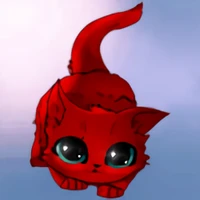
ANOTHER MODEL THAT JUST WORKS WITH SHORT PROMPTS
Memoji Remix
Use "memoji" on your prompts. Or not? Memoji's author never shared the prompts that triggered the style, so I merged it with incha re zoro which delivers regardless of your prompt. Samples and prompts:

a taylor swift memoji

a panda memoji with cute anime eyes in the forest

an Elsa memoji

a burger memoji. French fries, a can of soda.

Cartoon CUTE LITTLE baby, gorgeous detailed hair, looking, cute socks, holding pillow, Magazine ad, iconic, 1940, sharp focus. pencil art By KlaysMoji and Clay Mann and and leyendecker. CHIBI
Original pages:
https://civitai.com/models/23111?modelVersionId=27607 (Memoji Diffusion v1)
https://civitai.com/models/171390/incharezoro?modelVersionId=192546
Recipe
- SuperMerger Add Difference Train Difference Alpha 1
Model A: Memoji Diffusion
Model B: Incha Re Zoro
Model C: Stable Diffusion 1.5 (https://huggingface.co/Yntec/stable-diffusion-v1-5)
Output Model:
MemojiRemix
- Downloads last month
- 185